One Today, with or without email
Start in Personal with your own tasks and calendar. Connected Microsoft accounts join the same view when you need them.
Tasks, calendar, one calm day
EmailTasker turns Microsoft email into tasks automatically and keeps Today focused on work planned or due today. Plan locally for free, and use Pro for Microsoft mail, Mailing Lists, Morning Brief, and an assistant whose reversible actions stay visible and undoable.
Start free · Mail and assistant with azzuwayed Pro · Native Mac and iPhone apps · macOS 14 or later · iOS 17 or later

A cockpit for your whole day
Professionals managing busy days and Microsoft mailboxes who want a clearer plan and a calmer inbox.
Start in Personal with your own tasks and calendar. Connected Microsoft accounts join the same view when you need them.
Set real deadlines, edit in place, change priority, snooze work for later, or delete it with Undo.
Switch between one, three, and seven days, see all-day events, edit meetings in place, and join when they start.
Turn actionable Microsoft messages into durable tasks and review Mailing Lists before unsubscribing.
Open the mail behind a task, download an attachment, then archive or trash it without switching apps.
Keep Today for work planned or due today, with missed plans separated into Needs Attention.
Built around the workday
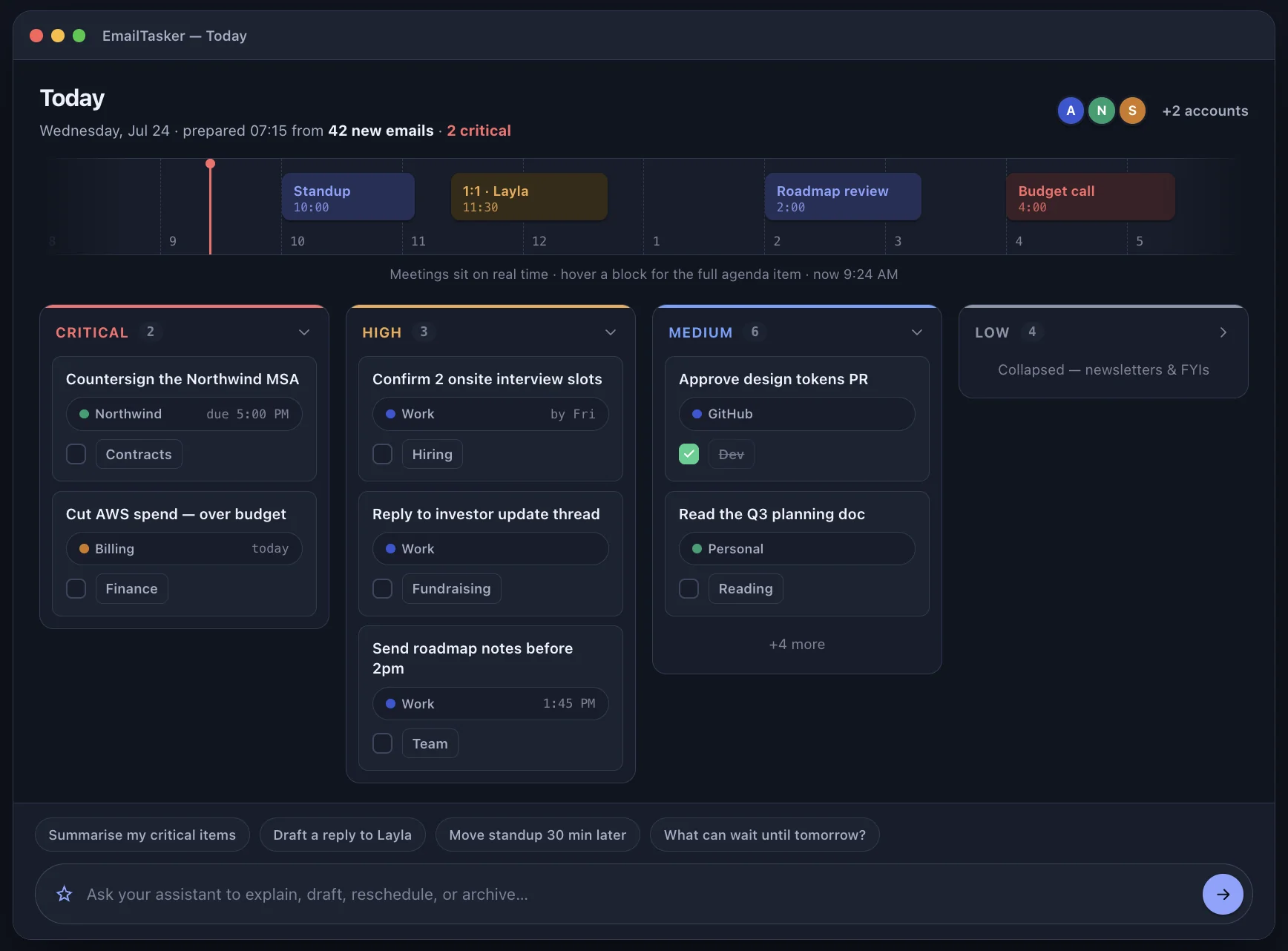
See meetings on real time above a board organized by urgency, with Personal tasks and work from connected Microsoft accounts brought together.
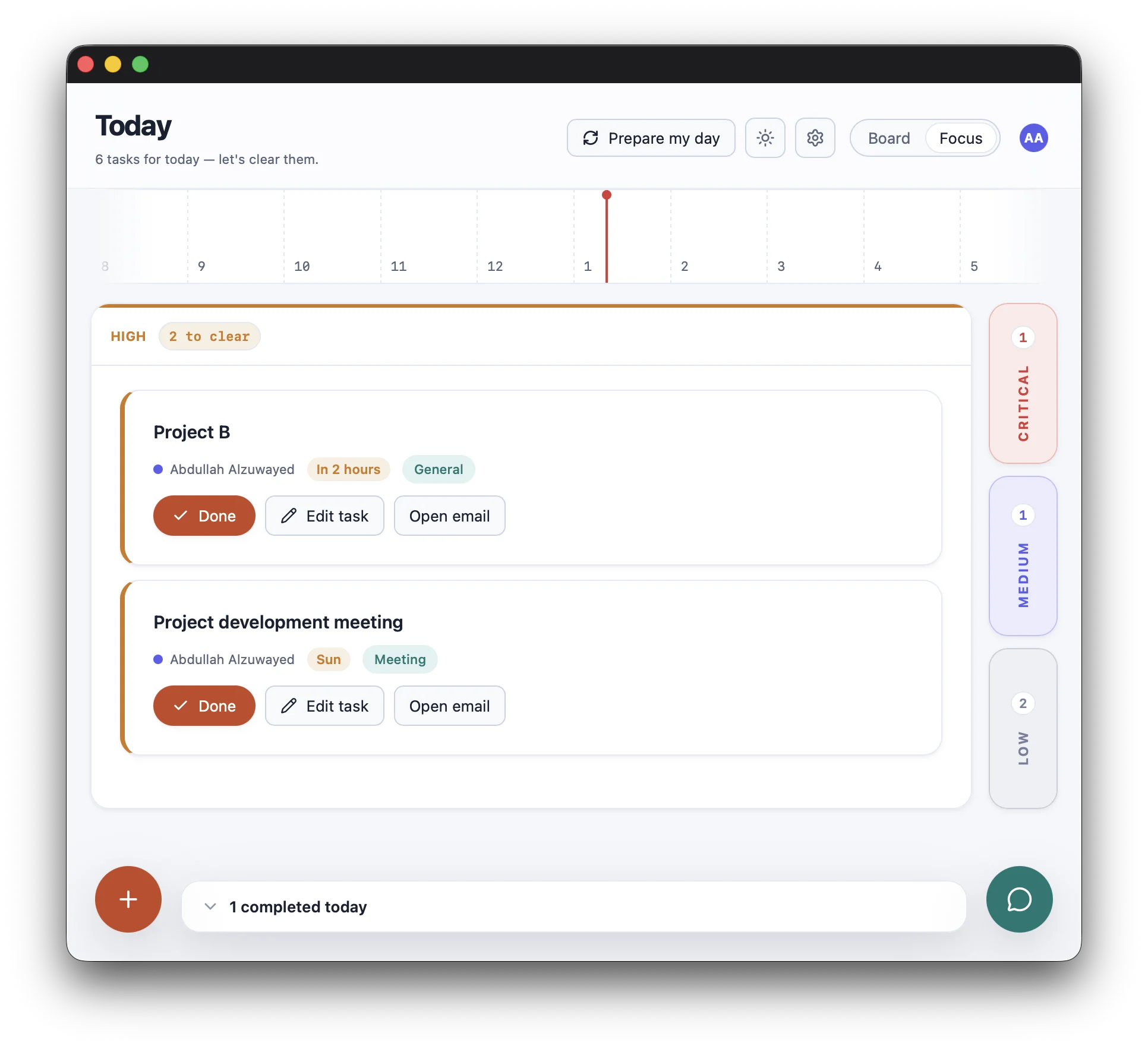
Expand one priority into the working canvas while the others stay available as compact rails. Finish the active work without losing the shape of the day.
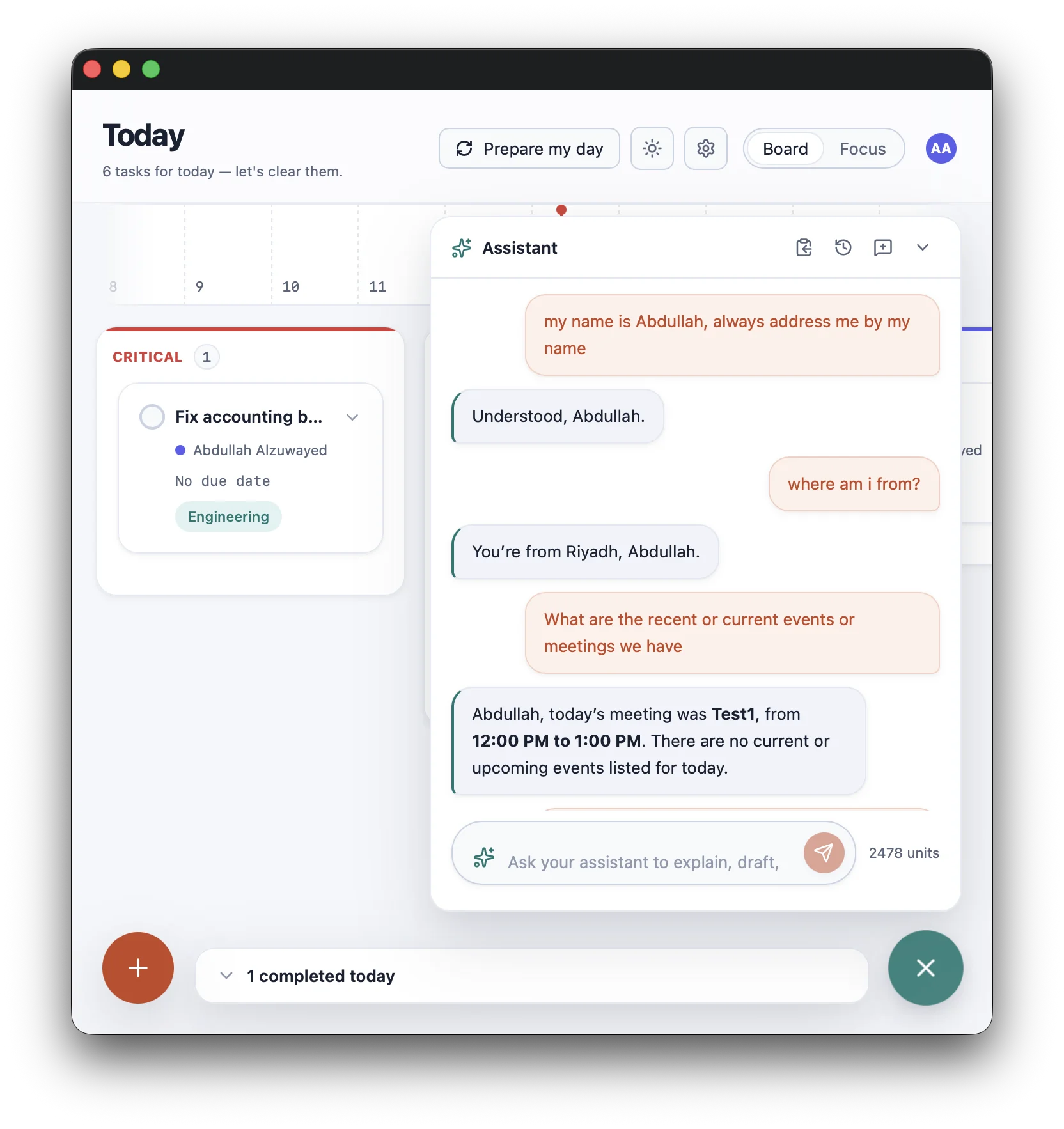
Ask your AI secretary what matters, inspect its actions, and undo reversible changes.
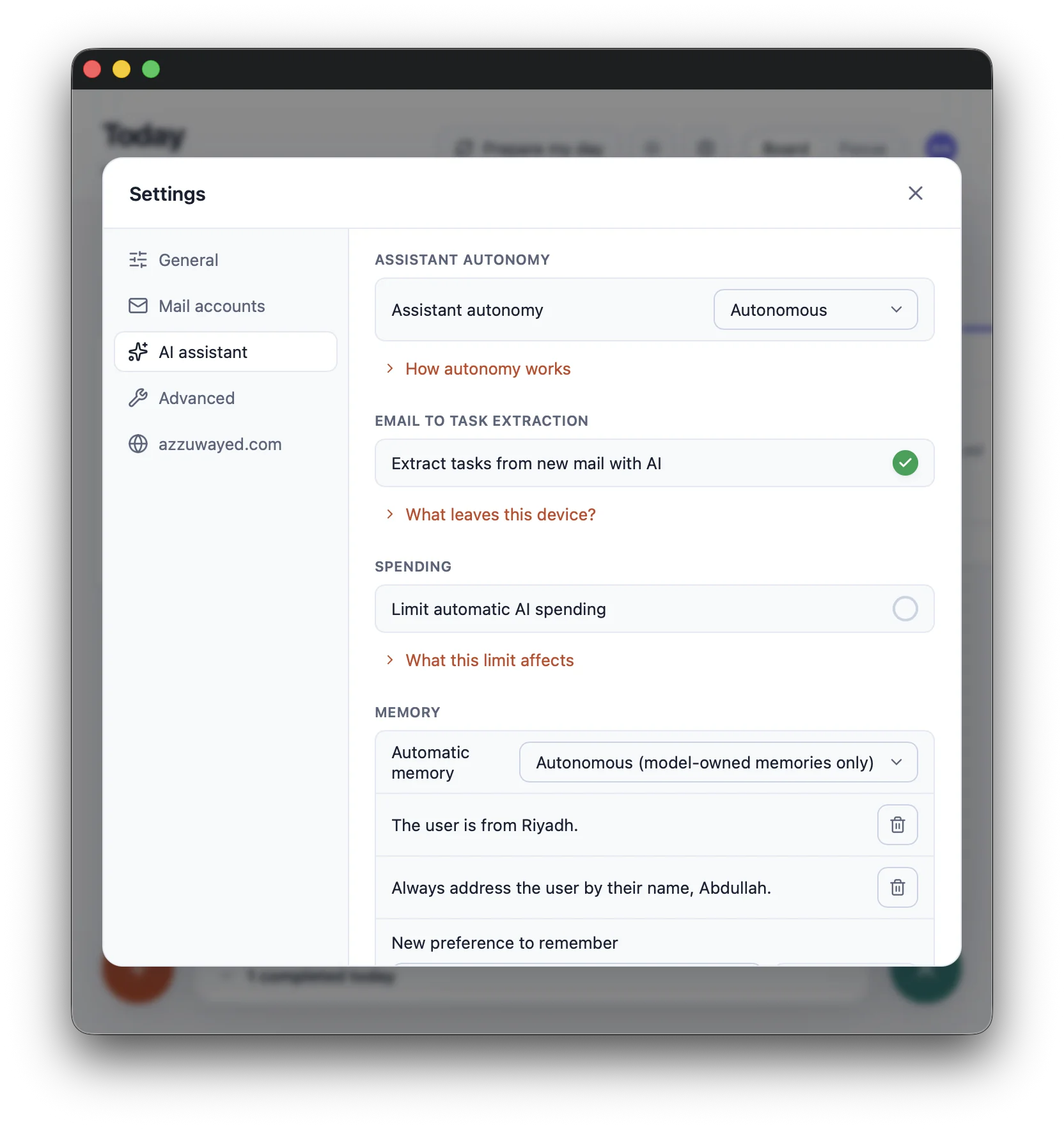
Decide how much the assistant does on its own, keep track of what it remembers, and set limits — all from one settings screen.
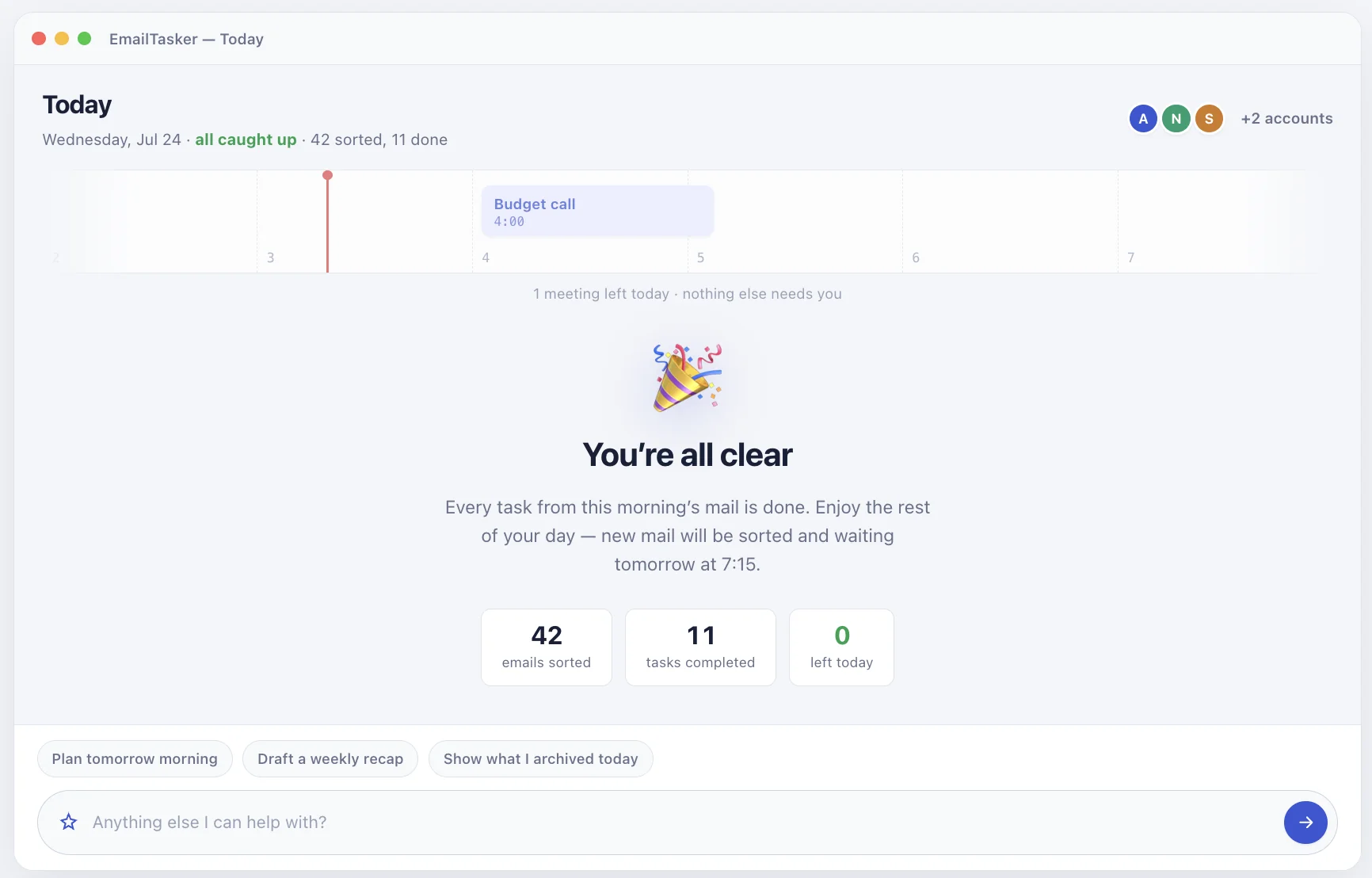
The goal is not another endless inbox. Clear the actionable work, keep the remaining meeting visible, and move on with the rest of your day.
Your tasks and calendar are yours to keep, with or without a membership. Pro connects your mailbox, turns email into tasks, and brings in the assistant. Subscribe, renew, or manage your device access from your azzuwayed.com membership account.